07. Quick Practice with Event Listeners
Quick Practice with Event Listeners
Question:
Start Quiz:
Solution:
INSTRUCTOR NOTE:
Event Listeners on MDN
See the Downloadables section for the source code.
Touch Event Example
Touch, mouse and Pointer Events (A Microsoft specific combination of mouse and touch events) are the building blocks for adding new gestures into your application.
I want to show you a real world example of a useful event listener.
// Check if pointer events are supported.
if (window.PointerEventSupport) {
  // Add Pointer Event Listener
  swipeFrontElement.addEventListener(pointerDownName, this.handleGestureStart, true);
} else {
  // Add Touch Listener
  swipeFrontElement.addEventListener('touchstart', this.handleGestureStart, true);
  // Add Mouse Listener
  swipeFrontElement.addEventListener('mousedown', this.handleGestureStart, true);
}
This code first checks to see if Pointer Events are supported by testing for window.PointerEventSupport. If Pointer Events aren’t supported, we add listeners for touch and mouse events instead. If Pointer Events are supported, we use variables for event names, which use the prefixed or unprefixed versions depending on the existence of window.PointerEvent.
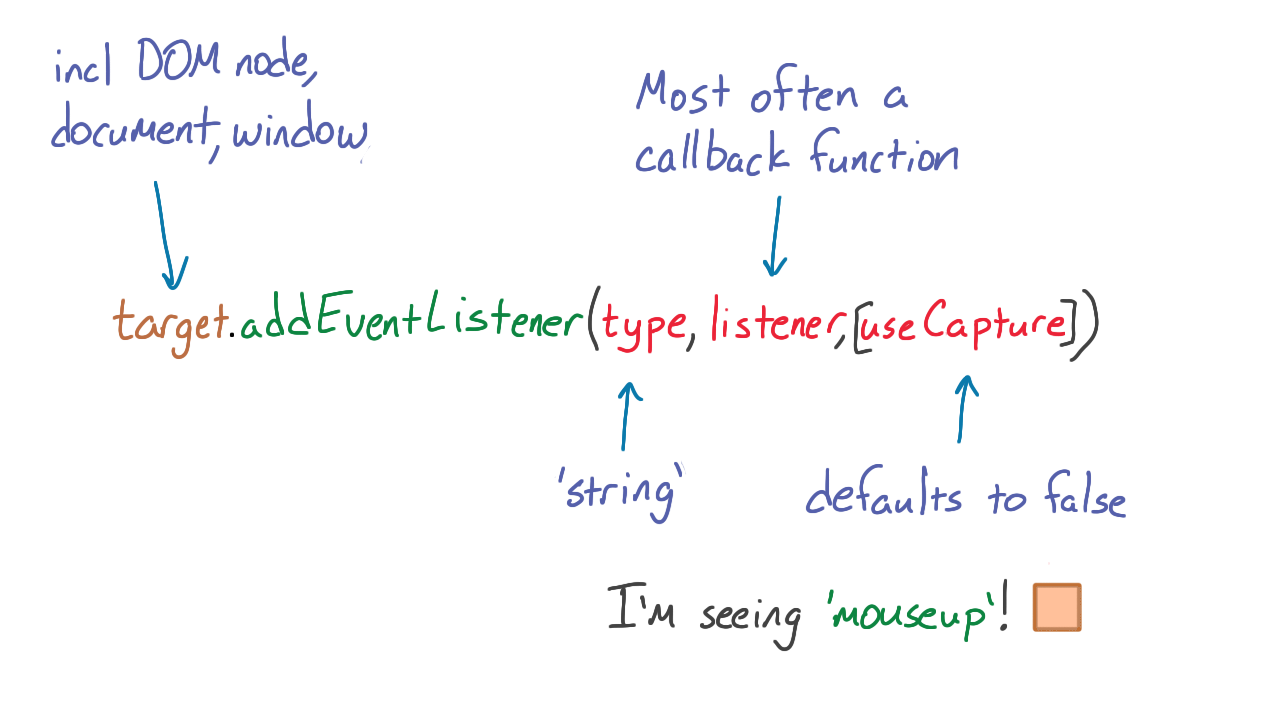
Notice that event listeners are added to a specific element, swipeFrontElement, for a specific type of event.
Follow us online!